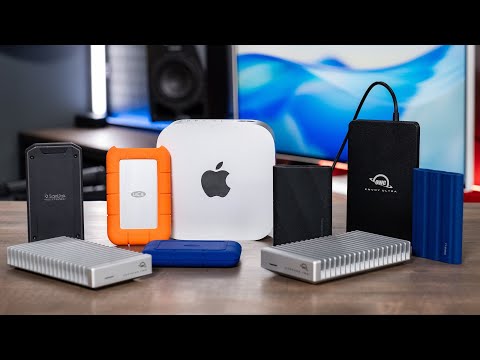
If you need more storage space for your Mac, there are tons of external SSDs available, but they are not all created equal. In this video, we cover everything you need to know to find the best drive for your specific needs, including common use cases, the speeds you should actually expect, and real-world file transfer test results. Whether you are looking to back up photos, run multiple large language models (LLMs), or edit high-resolution 6K and 8K video directly from an external drive, we have specific recommendations across every major speed class and capacity.
Samsung T7 Shield:
Samsung T9:
San Disk Pro G40:
LaCie SSD 4:
OWC 1M2 80G:
Samsung 9100 Pro:
OWC 1M2 40G:
Lacie SSD5:
Other Options:
X9 Pro:
Oyen U34 Bolt :
OWC Envoy Ultra:
WD Black SN850X
Samsung 990 Pro:
Best Docking Stations:
Favorite Cables:
Save the tax with Payboo:
B&H holiday deals:
My Gear & Other Recommendations
My Desk Setup:
My Full Video Making Kit:
B&H Photo is a paid partner of Adam Talks Tech.
As an Amazon Associate and a B&H affiliate, I earn from qualifying purchases. If you click a link and make a purchase, I may earn a small commission at no extra cost to you.
Brands & review requests:
Full disclosure on affiliates, sponsors & review units:
Questions?
Website:
00:00 — Introduction to Mac SSDs
00:19 — Common Use Cases: Storage, Editing, and LLMs
00:35 — Speed Classes Explained: USB 3.2 vs. USB 4 vs. Thunderbolt
01:14 — 40Gbps Drives: Performance for Heavy Editing
01:55 — Thunderbolt 5: The Future of High-Pressure Data Streams
03:06 — Choosing the Right Capacity: 1TB to 8TB
04:01 — Prebuilt SSDs vs. Custom Enclosures
05:03 — Best SSD Models for Office Work & Backups
06:06 — Top Picks for Audio and Video Production
07:53 — Ultimate Performance: Best Thunderbolt 5 Drives
09:30 — Conclusion and Buying Tips

🔥 The SSDs:
– Full SSD Guide & Data: https://adamtalks.tech/ssd-guide/?utm_source=youtube&utm_medium=pinned-comment&utm_campaign=EbRjWX-oVRA
– Samsung T7 Shield: https://geni.us/DUrly
– Samsung T9: https://geni.us/rncSK0g
– SanDisk Pro G40: https://geni.us/5sYXz9L
– Samsung 9100 Pro: https://geni.us/fMvb
– Oyen U34 Bolt: https://geni.us/Wq6oax
Not all external SSDs are created equal. We cover the speeds you should actually expect and real transfer tests, with picks across every speed class and capacity, whether you’re backing up photos, running LLMs, or editing 6K and 8K video. Drop your storage questions below and I’ll answer them today 👇
Prices are insane!
the T7 are terrible
Currently stuck between a 4TB configuration of the G40 and the Lacie , just a little skeptical with reports online about data loss with the G40, between the two which one would you say is a more reliable option? I will also take in the fact that all SSDs are prone to failure and are different for every use case. Thank you in advance
I just became a subscriber. I have two 4TB Sandisk drives I hope to use with my 2024 Mac Mini M4 to create video content. I am doing all of this remotely, off grid in a four wheel drive vehicle intended as a content capture and delivery rig. The plan is to keep the computer and drives in an enclosure in the vehicle. The enclosure is temperature and air quality controlled by taking cool air in through a filter mounted outside the rig and pushing the warm air out through a check valve. I also plan to get more efficient power to the Mac by bypassing the internal AC to DC transformer and delivering 12 VDC stored in Lithium Ion Ferrous batteries to the 12 VDC locations that the transformer presently serves. Should I condition that power between the batteries and the Mac to avoid issues? This mobile system also includes an Insta360 X5 camera and an Antigravity A1 generating 4K content via HDMI to an 8 in – 1 out switcher along with six other HDMI, 4K sources including the Mac itself. The overall integrated system includes a Starlink Mini, three 4K video monitors and other video signal processing gear all running on 12 VDC.
Do you see other possible pitfalls I need to consider as I build this system out? My main concern is clean power.